How To Run Ollama With Python In 2026: The Ultimate Local LLM API Setup & Coding Masterclass!
From ProgrammingKnowledge · · 6 min
The player loads from YouTube only when you click. It uses YouTube's privacy-enhanced mode.
If the video does not play, the owner may have turned off embedding. Watch it on YouTube instead.
Description
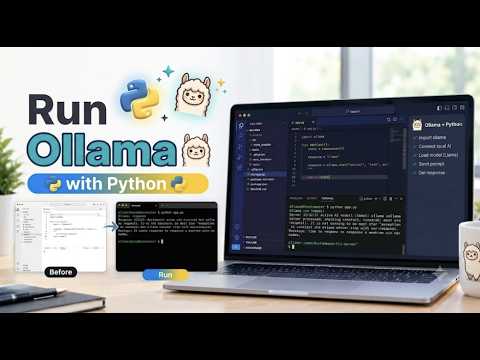
Welcome back to the absolute most trusted channel for PC gaming optimization, AI tutorials, and digital software management guides! If you follow the bleeding edge of artificial intelligence this year, you already know that running massive, completely uncensored language models locally on your own hardware is the ultimate privacy flex! In 2026, millions of software developers have abandoned expensive cloud API subscriptions, shifting entirely to Ollama to host incredibly powerful AI brains like Llama 3 and Mistral natively! However, interacting with Ollama strictly through the terminal is incredibly limiting if you want to build custom applications! Without knowing exactly how to bridge the gap between your local models and your codebase using the official Ollama Python library, you are missing out on building your own automated local agents! But do not panic! In this fully updated 2026 comprehensive tech tutorial, we are providing a complete, in-depth, step-by-step masterclass showing you exactly how to run Ollama with Python, guaranteeing you will master the absolute best practices and completely level up your software engineering workflow in minutes!
In the very first major section of this comprehensive video guide, we dive headfirst into the lightning-fast installation process and basic client initialization! We will walk you step-by-step through opening your Visual Studio Code terminal, setting up an isolated Python virtual environment, and running the pip install ollama command to grab the official 2026 library! We explicitly break down why using this native library is lightyears faster than manually writing clunky HTTP requests to the local host port! You will watch a live, high-definition demonstration as we write our very first script, importing the generate function and passing our model name alongside a prompt! We will show you exactly how to parse the JSON dictionary response and print the text directly to your console, proving just how ridiculously easy it is to communicate with a local LLM using less than five lines of Python code!
Next, we take a deep, thorough dive into hardcore interactive streaming and the incredibly powerful Chat API! We push your coding skills to the absolute limit by throwing away the basic generate function and building a fully interactive command-line chatbot! We will show you exactly how to use the ollama chat method, structuring your inputs with explicit roles like system, user, and assistant! We demonstrate the absolute golden rule of local inference: setting the stream parameter to true! Instead of waiting agonizingly long seconds for the model to finish its thought, we write a lightning-fast for-loop that yields the text chunks in real-time, using the flush parameter to print the words to your screen exactly as the model generates them! Furthermore, we walk you through managing conversational memory, showing you how to append previous responses back into the message array so your local Llama 3 model actually remembers the context of your conversation!
Moving perfectly into the final phase of our ultimate walkthrough, we unleash the true power of advanced asynchronous workflows and agentic framework integrations! For our hardcore developers, we show you how to import the AsyncClient from the Ollama library! We walk you through wrapping your generation calls in standard async-await syntax alongside the asyncio module, allowing your Python application to handle massive parallel requests and update your UI simultaneously without ever freezing the main execution thread! Finally, we cover critical third-party integrations, ensuring you know exactly how to drop your local Ollama endpoints directly into LangGraph and retrieval-augmented generation pipelines, allowing your local models to autonomously search your private PDF folders and execute Python functions completely offline!
Mastering this incredible Python integration is your ultimate first step toward taking total control over…