

2 Ways to Apply EXACT Color Perfectly in Photoshop!
From PiXimperfect · · 13 min
The player loads from YouTube only when you click. It uses YouTube's privacy-enhanced mode.
If the video does not play, the owner may have turned off embedding. Watch it on YouTube instead.
Description
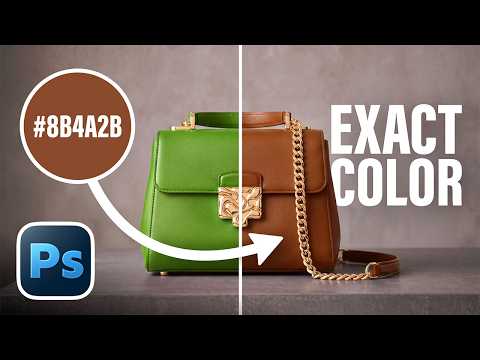
Discover how to apply a highly specific color or exact hex code to an object in Photoshop! 🚀 Join PiXimperfect Pro - The Ultimate Photoshop Training Course: https://pix.live/pro
In this video, we will explore two practical techniques to perfectly match any exact shade to any surface or product. First, we will learn how to sample and average the complex highlights and shadows of an object to create a reliable reference patch. Then, we will walk through using the Hue/Saturation adjustment layer to quickly target and alter an existing prominent color without tedious masking. For neutral surfaces lacking color, we will switch to our second method, utilizing the Curves adjustment layer and RGB channels to dial in precise color values for a flawless, accurate replacement. Whether you are working on product photography for e-commerce or simply want to customize your images with absolute precision, these methods will help you apply colors accurately every single time. I hope this video helps you. Thank you so much for watching :)
► TIMESTAMPS: 00:00 What We'll Learn 00:46 Technique 1 - Hue Saturation 07:43 Technique 2 - Curves Matching 11:53 What Technique to Use When 12:22 Quick Recap
► RECOMMENDED SOFTWARE & CREATIVE RESOURCES: ✅ Official PiXimperfect Compositing Plugin: https://pix.live/pixcomposite ✅ The Best A.I. Powered High-End Portrait Retouching Plugins: https://pix.live/retouch4me ✅ Unlimited Photoshop Actions, Plugins, Brushes, Assets, etc: https://pix.live/envato ✅ The Best Professional Plugin for Color Grading: https://pix.live/infinitecolor ✅ Best Plugin for Landscape & Astrophotography: https://pix.live/propanel ✅ Try Photoshop for Free: https://pix.live/photoshop ✅ Music Used in PiXimperfect Videos: https://pix.live/music
► THE GEAR I USE: ✅ My Graphic Tablet: https://pix.live/wacompro ✅ Recommended Budget Tablet: https://pix.live/wacomlite ✅ Primary Microphone: https://pix.live/mic1 ✅ Budget Microphone: https://pix.live/mic2 ✅ Audio Interface: https://pix.live/audiointerface ✅ Camera: https://pix.live/camera ✅ Lens: https://pix.live/lens
► DOWNLOADS: 1. Sample Images: https://pix.live/hexcolorsample 2. Finished PSDs: https://pix.live/hexcolorpro (Only for PiXimperfect Pro Members)
► LET'S CONNECT: Instagram: https://www.instagram.com/piximperfect Facebook: http://facebook.com/piximperfect Twitter: https://twitter.com/piximperfect