

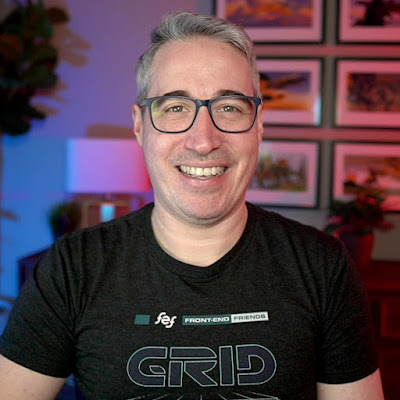
Kevin Powell
Kevin PowellVideo
- Format:
- YouTube channel
- New videos:
- Irregular
- Typical length:
- about 10 minutes, not counting Shorts
- Latest video:
About this show
Helping you learn how to make the web, and make it look good while you're at it.
With weekly videos and shorts, I'll be bringing you How Tos and Tutorials, as well as simple tips and tricks, with a big focus on helping people see how wonderful CSS is!
Videos come from the channel's public YouTube feed. The artwork is the newest video thumbnail. Last updated . Names, artwork and text belong to their publishers.
Cosmos
Similar by topic and creator
- OddFrame
Shares the topic Education. - Neso Academy
Shares the topic Education. - Digital DJ Tips
Shares the topic Education.
Videos
Nobody told me CSS could do this
· 9 min
👉 Start writing CSS with confidence: https://thecascade.dev/courses/css-demystified/?utm_source=youtube&utm_medium=social&utm_campaign=regular-video 🔗 Links ✅ The demo: https://codepen.io/editor/kevinpowell/pen/01a034c8-5821-7245-9ac1-9c34526a7267 ✅ The video where I go into more detail on the grid breakpoints: https://www.youtube.com/watch?v=HvhSEsFEsAg ✉ Keep up to date with everything I'm up to https://www.kevinpowell.co/newsletter 💬 Come hang out with other devs in my Discord Community https://discord.gg/nTYCvrK ⭐ Are you a beginner? HTML & CSS for absolute beginners is for you: https://learn.kevinpowell.co 🎓 Start writing CSS with confidence with CSS Demystified: https://cssdemystified.com 🚀 Already mastered CSS? Check out my advanced course, Beyond CSS: https://www.beyondcss.dev/ --- Help support my channel 👨🎓 Get a course: https://www.kevinpowell.co/courses 👕 Buy a shirt: https://cottonbureau.com/people/kevin-powell 💖 Support me on Patreon: https://www.patreon.com/kevinpowell or through YT memberships: https://youtube.com/@KevinPowell/join --- 🧑💻 My editors: In most videos, I’m using CodePen these days: https://codepen.io/ - with High Contrast Dark theme and the font Commit Mono And if not CodePen, then I’m probably using Zed: https://zed.dev/ with the theme Ayu Dark, and the font ZedMono In older videos, I was using VS Code - https://code.visualstudio.com/ with the theme One Dark Pro Var, and the font Cascadia --- ⌚ Timestamps: 00:00 - Intro 00:25 - the setup 01:41 - using a style query 02:20 - updating the animation-range 03:25 - making it so they only trigger once 04:20 - staggering the animation when using auto-fit/fill 07:35 - browser support and reduced motion --- I'm on some other places on the internet too! If you'd like a behind the scenes and previews of what's coming up on my YouTube channel: Bluesky: https://bsky.app/profile/kevinpowell.co Codepen: https://codepen.io/kevinpowell/ Github: https://github.com/kevin-powell --- And whatever you do, don't forget to keep on making your corner of the internet just a little bit more awesome! #css
Not rated yetWhat framework do developers like the most? | Front-end Family Feud
· 1 min
I asked 100 devs what framework they would pick when starting a new project, and Adam Argyle tried to guess the top answers.
Not rated yetMy new favorite CSS trick: conditional border-radius
· 4 min
👉 Start writing CSS with confidence: https://thecascade.dev/courses/css-demystified/?utm_source=youtube&utm_medium=social&utm_campaign=regular-video Demo from the start of this video: https://codepen.io/editor/kevinpowell/pen/019fd889-9233-7d4c-83e2-38cdcfd90596 Open Props: https://open-props.style/ Ahmad Shadeed's post: https://ishadeed.com/article/conditional-border-radius/ After recently stumbling across Open Prop's conditional border-radius, which linked over to Ahmad Shadeed's post on them, I had to make a video too (even if his post was from 5 years ago!). I took a different approach with this one, would love to know what you think of it. ✉ Keep up to date with everything I'm up to https://www.kevinpowell.co/newsletter 💬 Come hang out with other devs in my Discord Community https://discord.gg/nTYCvrK ⭐ Are you a beginner? HTML & CSS for absolute beginners is for you: https://learn.kevinpowell.co 🎓 Start writing CSS with confidence with CSS Demystified: https://cssdemystified.com 🚀 Already mastered CSS? Check out my advanced course, Beyond CSS: https://www.beyondcss.dev/ --- Help support my channel 👨🎓 Get a course: https://www.kevinpowell.co/courses 👕 Buy a shirt: https://cottonbureau.com/people/kevin-powell 💖 Support me on Patreon: https://www.patreon.com/kevinpowell or through YT memberships: https://youtube.com/@KevinPowell/join --- 🧑💻 My editors: In most videos, I’m using CodePen these days: https://codepen.io/ - with High Contrast Dark theme and the font Commit Mono And if not CodePen, then I’m probably using Zed: https://zed.dev/ with the theme Ayu Dark, and the font ZedMono In older videos, I was using VS Code - https://code.visualstudio.com/ with the theme One Dark Pro Var, and the font Cascadia --- ⌚ Timestamps: 00:00 - Intro 00:18 - Simple border radius 01:13 - Making the border-radius smaller as the element gets bigger 02:16 - Clamping the values to prevent it getting too big 02:40 - Making the middle value really big (or small) 03:06 - Making it snap from the small value to the big value 03:44 - Switching to container query units --- I'm on some other places on the internet too! If you'd like a behind the scenes and previews of what's coming up on my YouTube channel: Bluesky: https://bsky.app/profile/kevinpowell.co Codepen: https://codepen.io/kevinpowell/ Github: https://github.com/kevin-powell --- And whatever you do, don't forget to keep on making your corner of the internet just a little bit more awesome! #css
Not rated yetMake a hover state stick forever with this simple trick
· 1 min
Big thanks to Adam for sharing this one, and a bunch of other tricks with infinity here: https://nerdy.dev/css-infinity-use-cases (I realize you can't click it... Shorts don't allow links)
Not rated yetThe most undervalued front-end skill right now
· 6 min
👉 Start writing CSS with confidence: https://thecascade.dev/courses/css-demystified/?utm_source=youtube&utm_medium=social&utm_campaign=regular-video ✉ Keep up to date with everything I'm up to https://www.kevinpowell.co/newsletter 💬 Come hang out with other devs in my Discord Community https://discord.gg/nTYCvrK ⭐ Are you a beginner? HTML & CSS for absolute beginners is for you: https://learn.kevinpowell.co 🎓 Start writing CSS with confidence with CSS Demystified: https://cssdemystified.com 🚀 Already mastered CSS? Check out my advanced course, Beyond CSS: https://www.beyondcss.dev/ --- Help support my channel 👨🎓 Get a course: https://www.kevinpowell.co/courses 👕 Buy a shirt: https://cottonbureau.com/people/kevin-powell 💖 Support me on Patreon: https://www.patreon.com/kevinpowell or through YT memberships: https://youtube.com/@KevinPowell/join --- 🧑💻 My editors: In most videos, I’m using CodePen these days: https://codepen.io/ - with High Contrast Dark theme and the font Commit Mono And if not CodePen, then I’m probably using Zed: https://zed.dev/ with the theme Ayu Dark, and the font ZedMono In older videos, I was using VS Code - https://code.visualstudio.com/ with the theme One Dark Pro Var, and the font Cascadia --- ⌚ Timestamps: 00:00 - Intro 00:40 - Identifying problems 01:40 - Setting constraints instead of fixed sizes 02:25 - Avoid useless declarations 03:30 - Issues with margins 05:08 - CSS Demystified --- I'm on some other places on the internet too! If you'd like a behind the scenes and previews of what's coming up on my YouTube channel: Bluesky: https://bsky.app/profile/kevinpowell.co Codepen: https://codepen.io/kevinpowell/ Github: https://github.com/kevin-powell --- And whatever you do, don't forget to keep on making your corner of the internet just a little bit more awesome! #css
Not rated yetThere's a new CodePen, and it's amazing
· 43 min
✅ Checkout CodePen 2.9: https://codepen.io/your-work 👉 Start writing CSS with confidence: https://thecascade.dev/courses/css-demystified/?utm_source=youtube&utm_medium=social&utm_campaign=regular-video ✉ Keep up to date with everything I'm up to https://www.kevinpowell.co/newsletter 💬 Come hang out with other devs in my Discord Community https://discord.gg/nTYCvrK ⭐ Are you a beginner? HTML & CSS for absolute beginners is for you: https://learn.kevinpowell.co 🎓 Start writing CSS with confidence with CSS Demystified: https://cssdemystified.com 🚀 Already mastered CSS? Check out my advanced course, Beyond CSS: https://www.beyondcss.dev/ --- Help support my channel 👨🎓 Get a course: https://www.kevinpowell.co/courses 👕 Buy a shirt: https://cottonbureau.com/people/kevin-powell 💖 Support me on Patreon: https://www.patreon.com/kevinpowell or through YT memberships: https://youtube.com/@KevinPowell/join --- 🧑💻 My editors: In most videos, I’m using CodePen these days: https://codepen.io/ - with High Contrast Dark theme and the font Commit Mono And if not CodePen, then I’m probably using Zed: https://zed.dev/ with the theme Ayu Dark, and the font ZedMono In older videos, I was using VS Code - https://code.visualstudio.com/ with the theme One Dark Pro Var, and the font Cascadia --- ⌚ Timestamps: 00:00 - Intro 00:37 - Things look different! 02:30 - minimal ui mode 05:09 - file limits 06:16 - blocks and config files 10:37 - convert old pen to 2.0 11:42 - file names 12:38 - config files 16:06 - close and rearrange panels 18:05 - find and replace 19:02 - auto update 19:35 - history 21:14 - deployment 22:04 - preview url 23:09 - sharing options 27:15 - settings and options 28:56 - adding sass or other file types with auto blocks 32:31 - errors 35:00 - adding new languages inline 36:21 - creating the classic codepen feel 38:04 - making a starting template --- I'm on some other places on the internet too! If you'd like a behind the scenes and previews of what's coming up on my YouTube channel: Bluesky: https://bsky.app/profile/kevinpowell.co Codepen: https://codepen.io/kevinpowell/ Github: https://github.com/kevin-powell --- And whatever you do, don't forget to keep on making your corner of the internet just a little bit more awesome! #css
Not rated yetDon't sleep on this underrated CSS layout feature
· 1 min
Subgrid doesn't get used all that often, but it has a lot of handy use cases, even if it is a bit more niche. #css
Not rated yetThis library changes how JS and CSS work together
· 11 min
👉 Start writing CSS with confidence: https://thecascade.dev/courses/css-demystified/?utm_source=youtube&utm_medium=social&utm_campaign=regular-video 🔗 Links ✅ https://prop-for-that.netlify.app/ ✅ Gradient borders (and more): https://youtu.be/8NfafU1BgaY ✉ Keep up to date with everything I'm up to https://www.kevinpowell.co/newsletter 💬 Come hang out with other devs in my Discord Community https://discord.gg/nTYCvrK ⭐ Are you a beginner? HTML & CSS for absolute beginners is for you: https://learn.kevinpowell.co 🎓 Start writing CSS with confidence with CSS Demystified: https://cssdemystified.com 🚀 Already mastered CSS? Check out my advanced course, Beyond CSS: https://www.beyondcss.dev/ --- Help support my channel 👨🎓 Get a course: https://www.kevinpowell.co/courses 👕 Buy a shirt: https://cottonbureau.com/people/kevin-powell 💖 Support me on Patreon: https://www.patreon.com/kevinpowell or through YT memberships: https://youtube.com/@KevinPowell/join --- 🧑💻 My editors: In most videos, I’m using CodePen these days: https://codepen.io/ - with High Contrast Dark theme and the font Commit Mono And if not CodePen, then I’m probably using Zed: https://zed.dev/ with the theme Ayu Dark, and the font ZedMono In older videos, I was using VS Code - https://code.visualstudio.com/ with the theme One Dark Pro Var, and the font Cascadia --- ⌚ Timestamps: 00:00 - Intro 01:21 - Adding data attributes for what we need 01:45 - Tracking mouse position 04:41 - Scroll-triggered animations --- I'm on some other places on the internet too! If you'd like a behind the scenes and previews of what's coming up on my YouTube channel: Bluesky: https://bsky.app/profile/kevinpowell.co Codepen: https://codepen.io/kevinpowell/ Github: https://github.com/kevin-powell --- And whatever you do, don't forget to keep on making your corner of the internet just a little bit more awesome! #css
Not rated yetAnimate along a border with this CSS property
· 1 min
offset-path and offset-distance are two underused properties that open up some fun possiblities. #css
Not rated yetLet CSS do the work
· 5 min
👉 Start writing CSS with confidence: https://thecascade.dev/courses/css-demystified/?utm_source=youtube&utm_medium=social&utm_campaign=regular-video ✉ Keep up to date with everything I'm up to https://www.kevinpowell.co/newsletter 💬 Come hang out with other devs in my Discord Community https://discord.gg/nTYCvrK ⭐ Are you a beginner? HTML & CSS for absolute beginners is for you: https://learn.kevinpowell.co 🎓 Start writing CSS with confidence with CSS Demystified: https://cssdemystified.com 🚀 Already mastered CSS? Check out my advanced course, Beyond CSS: https://www.beyondcss.dev/ --- Help support my channel 👨🎓 Get a course: https://www.kevinpowell.co/courses 👕 Buy a shirt: https://cottonbureau.com/people/kevin-powell 💖 Support me on Patreon: https://www.patreon.com/kevinpowell or through YT memberships: https://youtube.com/@KevinPowell/join --- 🧑💻 My editors: In most videos, I’m using CodePen these days: https://codepen.io/ - with High Contrast Dark theme and the font Commit Mono And if not CodePen, then I’m probably using Zed: https://zed.dev/ with the theme Ayu Dark, and the font ZedMono In older videos, I was using VS Code - https://code.visualstudio.com/ with the theme One Dark Pro Var, and the font Cascadia --- ⌚ Timestamps: 00:00 - Intro 00:30 - How we usually see this done 01:10 - Doing this with a custom prop instead 04:10 - Why the “logic” should be in the CSS --- I'm on some other places on the internet too! If you'd like a behind the scenes and previews of what's coming up on my YouTube channel: Bluesky: https://bsky.app/profile/kevinpowell.co Codepen: https://codepen.io/kevinpowell/ Github: https://github.com/kevin-powell --- And whatever you do, don't forget to keep on making your corner of the internet just a little bit more awesome! #css
Not rated yetWait, line-height works like that?!
· 1 min
I'd like to say I knew this and just forgot because I never use anything other than unitless, but this might just have been something I never knew 🤷
Not rated yetTransition to and from display: none
· 5 min
👉 Start writing CSS with confidence: https://thecascade.dev/courses/css-demystified/?utm_source=youtube&utm_medium=social&utm_campaign=regular-video 🔗 Links ✅ Code from this video: ✉ Keep up to date with everything I'm up to https://www.kevinpowell.co/newsletter 💬 Come hang out with other devs in my Discord Community https://discord.gg/nTYCvrK ⭐ Are you a beginner? HTML & CSS for absolute beginners is for you: https://learn.kevinpowell.co 🎓 Start writing CSS with confidence with CSS Demystified: https://cssdemystified.com 🚀 Already mastered CSS? Check out my advanced course, Beyond CSS: https://www.beyondcss.dev/ --- Help support my channel 👨🎓 Get a course: https://www.kevinpowell.co/courses 👕 Buy a shirt: https://cottonbureau.com/people/kevin-powell 💖 Support me on Patreon: https://www.patreon.com/kevinpowell or through YT memberships: https://youtube.com/@KevinPowell/join --- 🧑💻 My editors: In most videos, I’m using CodePen these days: https://codepen.io/ - with High Contrast Dark theme and the font Commit Mono And if not CodePen, then I’m probably using Zed: https://zed.dev/ with the theme Ayu Dark, and the font ZedMono In older videos, I was using VS Code - https://code.visualstudio.com/ with the theme One Dark Pro Var, and the font Cascadia --- ⌚ Timestamps: 00:00 - Intro 00:22 - Using transition-behavior to allow transitions to and from display none 02:17 - Adding @starting-style for the initial styles when it transitions in 03:17 - Different in and out transitions 04:25 - Transitioning the backdrop --- I'm on some other places on the internet too! If you'd like a behind the scenes and previews of what's coming up on my YouTube channel: Bluesky: https://bsky.app/profile/kevinpowell.co Codepen: https://codepen.io/kevinpowell/ Github: https://github.com/kevin-powell --- And whatever you do, don't forget to keep on making your corner of the internet just a little bit more awesome! #css
Not rated yetEasily transition to and from display: none
· 2 min
Thanks to @starting-style and transition-behavior we can now easily transition to and from display: none #css
Not rated yetThe most fun I've had with CSS in a while thanks to offset-path
· 18 min
👉 Start writing CSS with confidence: https://thecascade.dev/courses/css-demystified/?utm_source=youtube&utm_medium=social&utm_campaign=regular-video 🔗 Links ✅ Finished version: https://codepen.io/editor/kevinpowell/pen/019edbf1-79cb-739e-a285-9780858eb92e ✉ Keep up to date with everything I'm up to https://www.kevinpowell.co/newsletter 💬 Come hang out with other devs in my Discord Community https://discord.gg/nTYCvrK ⭐ Are you a beginner? HTML & CSS for absolute beginners is for you: https://learn.kevinpowell.co 🎓 Start writing CSS with confidence with CSS Demystified: https://cssdemystified.com 🚀 Already mastered CSS? Check out my advanced course, Beyond CSS: https://www.beyondcss.dev/ --- Help support my channel 👨🎓 Get a course: https://www.kevinpowell.co/courses 👕 Buy a shirt: https://cottonbureau.com/people/kevin-powell 💖 Support me on Patreon: https://www.patreon.com/kevinpowell or through YT memberships: https://youtube.com/@KevinPowell/join --- 🧑💻 My editors: In most videos, I’m using CodePen these days: https://codepen.io/ - with High Contrast Dark theme and the font Commit Mono And if not CodePen, then I’m probably using Zed: https://zed.dev/ with the theme Ayu Dark, and the font ZedMono In older videos, I was using VS Code - https://code.visualstudio.com/ with the theme One Dark Pro Var, and the font Cascadia --- ⌚ Timestamps: 00:00 - Intro 00:35 - The HTML and basic styling 02:00 - Getting an element placed on the border of another element 04:00 - Offset-rotate to prevent rotation 05:30 - Using pseudo-elements to make more of a star shape 06:30 - Adding translates to have it shift off the edge 08:30 - Creating an animation to fade the decoration in and out 11:15 - Controlling everything with custom properties 15:00 - Adding the other stars with more controls --- I'm on some other places on the internet too! If you'd like a behind the scenes and previews of what's coming up on my YouTube channel: Bluesky: https://bsky.app/profile/kevinpowell.co Codepen: https://codepen.io/kevinpowell/ Github: https://github.com/kevin-powell --- And whatever you do, don't forget to keep on making your corner of the internet just a little bit more awesome! #css
Not rated yet- Not rated yet
I finally used GSAP... and I get the hype now
· 46 min
👉 Best landing page challenge on CodeTV: https://www.youtube.com/watch?v=Is7PCAWLbKc&list=PLz8Iz-Fnk_eTkZvSNWXW_TKZ2UwVirT2M&index=1&t=1s 🧑💻 Berst landing page hackaton: https://codetv-gsap-cloud.webflow.io/ 🔗 Links 👉 Start writing CSS with confidence: https://thecascade.dev/courses/css-demystified/?utm_source=youtube&utm_medium=social&utm_campaign=regular-video ✅ Finished version of this site: https://cascade-racing-ba2549.webflow.io/ ✅ Where I ranked the F1 team websites: https://youtu.be/PBDU2krty0M ✅ Infinite scroller with css-only: https://youtu.be/iLmBy-HKIAw ✉ Keep up to date with everything I'm up to https://www.kevinpowell.co/newsletter 💬 Come hang out with other devs in my Discord Community https://discord.gg/nTYCvrK ⭐ Are you a beginner? HTML & CSS for absolute beginners is for you: https://learn.kevinpowell.co 🎓 Start writing CSS with confidence with CSS Demystified: https://cssdemystified.com 🚀 Already mastered CSS? Check out my advanced course, Beyond CSS: https://www.beyondcss.dev/ --- Help support my channel 👨🎓 Get a course: https://www.kevinpowell.co/courses 👕 Buy a shirt: https://cottonbureau.com/people/kevin-powell 💖 Support me on Patreon: https://www.patreon.com/kevinpowell or through YT memberships: https://youtube.com/@KevinPowell/join --- 🧑💻 My editors: In most videos, I’m using CodePen these days: https://codepen.io/ - with High Contrast Dark theme and the font Commit Mono And if not CodePen, then I’m probably using Zed: https://zed.dev/ with the theme Ayu Dark, and the font ZedMono In older videos, I was using VS Code - https://code.visualstudio.com/ with the theme One Dark Pro Var, and the font Cascadia --- ⌚ Timestamps: 00:00 - Intro 01:10 - The project I’m working on 01:50 - Installing GSAP into my project 04:50 - Simple scroll-triggered animation 10:50 - Scroll-triggered on individual elements 15:26 - Updating text with GSAP with a custom scrollTrigger 25:03 - Creating a timeline animation 30:10 - Using SplitText to animate characters individually 33:55 - Fading in the navigation 35:44 - Creating an infinite, draggable scroller 44:18 - Getting the project online --- I'm on some other places on the internet too! If you'd like a behind the scenes and previews of what's coming up on my YouTube channel: Bluesky: https://bsky.app/profile/kevinpowell.co Codepen: https://codepen.io/kevinpowell/ Github: https://github.com/kevin-powell --- And whatever you do, don't forget to keep on making your corner of the internet just a little bit more awesome! #css
Not rated yet- Not rated yet
Native popovers with smooth animations (no JS required)
· 16 min
👉 Start writing CSS with confidence: https://thecascade.dev/courses/css-demystified/?utm_source=youtube&utm_medium=social&utm_campaign=regular-video 🔗 Links ✅ The finished code from this video: https://codepen.io/editor/kevinpowell/pen/019edff0-144f-762c-85f3-9483030c56f4 ✅ Manuel’s better popover defaults post: https://matuzo.at/blog/2026/better-defaults-for-popovers ✅ Oddbird’s dos & don’ts of anchor positioning: https://www.oddbird.net/2026/04/16/winging-it-31/ ✅ Oddbird’sHere’s why your anchor positioning isn’t working: https://www.oddbird.net/2025/01/29/anchor-position-validity/ ✅ Anchor positioning polyfill: https://anchor-positioning.oddbird.net/ ✉ Keep up to date with everything I'm up to https://www.kevinpowell.co/newsletter 💬 Come hang out with other devs in my Discord Community https://discord.gg/nTYCvrK ⭐ Are you a beginner? HTML & CSS for absolute beginners is for you: https://learn.kevinpowell.co 🎓 Start writing CSS with confidence with CSS Demystified: https://cssdemystified.com 🚀 Already mastered CSS? Check out my advanced course, Beyond CSS: https://www.beyondcss.dev/ --- Help support my channel 👨🎓 Get a course: https://www.kevinpowell.co/courses 👕 Buy a shirt: https://cottonbureau.com/people/kevin-powell 💖 Support me on Patreon: https://www.patreon.com/kevinpowell or through YT memberships: https://youtube.com/@KevinPowell/join --- 🧑💻 My editors: In most videos, I’m using CodePen these days: https://codepen.io/ - with High Contrast Dark theme and the font Commit Mono And if not CodePen, then I’m probably using Zed: https://zed.dev/ with the theme Ayu Dark, and the font ZedMono In older videos, I was using VS Code - https://code.visualstudio.com/ with the theme One Dark Pro Var, and the font Cascadia --- ⌚ Timestamps: 00:00 - Intro 00:08 - The HTML 02:22 - The user agent styles can get in the way 03:42 - Some simple overwrites you might want to use 06:05 - Positioning the popover relative to the button 07:08 - Fallbacks for when the position doesn’t fit 09:18 - Use :popover-open if you want a different display type 10:18 - Adding opening and closing transitions 15:13 - Fixing my grid columns when it closes --- I'm on some other places on the internet too! If you'd like a behind the scenes and previews of what's coming up on my YouTube channel: Bluesky: https://bsky.app/profile/kevinpowell.co Codepen: https://codepen.io/kevinpowell/ Github: https://github.com/kevin-powell --- And whatever you do, don't forget to keep on making your corner of the internet just a little bit more awesome! #css
Not rated yet- Not rated yet
Positioning in CSS is too easy now
· 1 min
Browser support for anchor positioning isn't amazing, but for simple things like this, the polyfill does a great job.
Not rated yet