
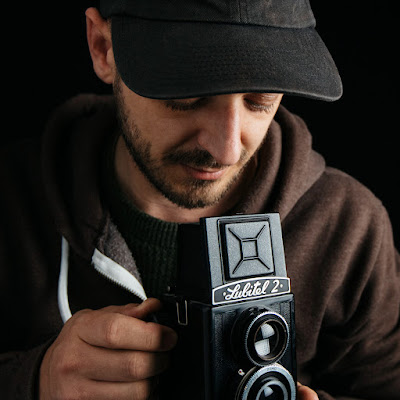
Jamie Windsor
Jamie WindsorVideo
- Format:
- YouTube channel
- New videos:
- Irregular
- Typical length:
- about 15 minutes, not counting Shorts
- Latest video:
About this show
My channel is all about photography related tips, reviews and techniques. I aim to create video content that doesn't already exist on YouTube. I also try to focus on teaching the art of photography rather than being an overly gear-heavy channel.
You can support me on Patreon if you like what I'm doing and want to see more of it.
Videos come from the channel's public YouTube feed. The artwork is the newest video thumbnail. Last updated . Names, artwork and text belong to their publishers.
Cosmos
Similar by topic and creator
- Satori Graphics
Shares the topics Arts and Culture and How-To and DIY. - Miko House - Home Design & Architecture
Shares the topics Arts and Culture and How-To and DIY. - Proko
Shares the topics Arts and Culture and How-To and DIY.
Videos
HOW PORTRAITS LIE — What to be aware of in your portrait photography
· 9 min
Head to https://www.squarespace.com/jamiewindsor to save 10% off your first purchase of a website or domain using code JAMIEWINDSOR. +++++++++++++++++++++++++++++++++++++++++ HOWPORTRAITS LIE — What to be aware of in your portrait photography What is the purpose of a portrait? Aristotle put forth the notion that we judge how ‘good’ something is based on how well it fulfils its intended purpose. So what does a good portrait do that a bad one fails to? What should a photographer aspire to achieve when they make a portrait of someone? One of the most common pieces of praise I hear about portraits is when people say things like “You’ve really captured that person’s soul.” or “That photo really embodies who that person is”. I think this is often the general perception of what a great portrait does. This is nonsense. One single image can't communicate the complexities, nuances, contradictions, thoughts and feelings of a human being. I think at best this is a misunderstanding of what photography can do, and at worst, a deliberate manipulation of how an audience perceives a person or people. To explain the latter a little more, we need to look at Dorothea Lange’s iconic image of the Migrant Mother. -------------------------------- Links 💾💾💾💾💾💾 BUY ME A COFFEE: https://buymeacoffee.com/jamiewindsor MY INSTAGRAM: https://www.instagram.com/jamiewindsor/ PATREON: https://www.patreon.com/jamiewindsor Retro Video Assets Packs: 💾💾💾💾💾💾 https://jamiewindsor.com/retroassets https://jamiewindsor.com/vhsassets Retro Assets Pack 1 & 2 deal (25% off): https://jamiewindsor.sellfy.store/p/retroassetsbundle/ Photocopy Assets Pack: 💾💾💾💾💾💾 https://jamiewindsor.sellfy.store/p/jw-photocopy-assets/ Lightroom Preset Packs: 💾💾💾💾💾💾 Full shop: https://sellfy.com/jamiewindsor/ #1 My presets: https://jamiewindsor.com/presets1 #2 Medium Format Film Stock: https://jamiewindsor.com/presets2 #3 Kodak Film Stock: https://jamiewindsor.com/presets3 #3.1 Kodachrome Film Stock: https://jamiewindsor.com/presets3-1 #3.2 Kodak Portra Stock: https://jamiewindsor.com/portra #4 Cinestill Film Stock: https://jamiewindsor.com/presets4 #5 Fujifilm Stock: https://jamiewindsor.com/presets5 #6 Film Pro: https://jamiewindsor.com/presets6 Preset bundle deal (20% off): https://jamiewindsor.sellfy.store/p/lnus/ — http://jamiewindsor.com
Not rated yetGetting the KODACHROME look using LIGHTROOM with these presets.
· 11 min
GET THESE PRESETS HERE: https://jamiewindsor.com/presets3-1 and BUNDLE DEAL: https://sellfy.com/jamiewindsor/p/lnus/ 0:00 - What these are 2:02 - Installation instructions 3:05 - What you get in the pack / How to use them 10:35 - How to get them A pack of 15 Lightroom Kodachrome film stock emulation presets. Mimicking the classic look of Kodachrome. With versions based on the style of Steve McCurry, Ernst Haas and Saul Leiter. They work with Adobe Lightroom, Lightroom Classic (version 8 and upwards) and Photoshop. These must be the Creative Cloud versions. If you are experiencing problems getting them to install and work, please make sure you are running the latest update of Lightroom as the presets utilise very new features and may flag errors if used in an older version of Lightroom. -------------------------------- Links 💾💾💾💾💾💾 MY INSTAGRAM: https://www.instagram.com/jamiewindsor/ PATREON: https://www.patreon.com/jamiewindsor Retro Video Assets Packs: 💾💾💾💾💾💾 https://jamiewindsor.com/retroassets https://jamiewindsor.com/vhsassets Retro Assets Pack 1 & 2 deal (25% off): https://jamiewindsor.sellfy.store/p/retroassetsbundle/ Photocopy Assets Pack: 💾💾💾💾💾💾 https://jamiewindsor.sellfy.store/p/jw-photocopy-assets/ Lightroom Preset Packs: 💾💾💾💾💾💾 Full shop: https://sellfy.com/jamiewindsor/ #1 My presets: https://jamiewindsor.com/presets1 #2 Medium Format Film Stock: https://jamiewindsor.com/presets2 #3 Kodak Film Stock: https://jamiewindsor.com/presets3 #3.1 Kodachrome Film Stock: https://jamiewindsor.com/presets3-1 #3.2 Kodak Portra Stock: https://jamiewindsor.com/portra #4 Cinestill Film Stock: https://jamiewindsor.com/presets4 #5 Fujifilm Stock: https://jamiewindsor.com/presets5 #6 Film Pro: https://jamiewindsor.com/presets6 Preset bundle deal (20% off): https://jamiewindsor.sellfy.store/p/lnus/ — http://jamiewindsor.com
Not rated yet25 MORE Hidden Photoshop Tricks & Hacks
· 32 min
25 MORE Hidden Photoshop Tricks & Hacks // Part 2 I use 'hidden' as a short-hand as this is a collection of lesser-known Photoshop features and tricks that can substantially speed-up your workflow and sometimes improve what you are able to do in Photoshop. 00:00 — Start 01:25 — 1. Droplets 02:50 — 2. Identify a font in a photo 03:19 — 3. Colour replacement brush 03:50 — 4. Easier layer navigation 04:40 — 5. Easy skintone fix 05:38 — 6. Photoshop does maths 06:54 — 7. Better shadow and highlight controls 08:42 — 8. Select subject 09:34 — 9. Faster PSD opening 10:12 — 10. Blend modes with adjustment layers 11:09 — 11. Removing unused layers 11:42 — 12. Merged copy layer 11:57 — 13. Select merged area 12:16 — 14. Perspective warp 14:22 — 15. Perspective clone stamp 15:34 — 16. Easier drop shadow positioning 16:00 — 17. 3D drop shadow 16:56 — 18. Displacement maps 18:33 — 19. Content aware scale 19:35 — 20. Targeted adjustments with curves 21:05 — 21. Complex selections with calculations 22:43 — 22. Smooth backgrounds 27:22 — 23. Dramatic black and white with calculations 29:07 — 24. Frame tool 30:05 — 25. Protect an area while warping -------------------------------- Links 💾💾💾💾💾💾 MY INSTAGRAM: https://www.instagram.com/jamiewindsor/ PATREON: https://www.patreon.com/jamiewindsor Retro Video Assets Packs: 💾💾💾💾💾💾 https://jamiewindsor.com/retroassets https://jamiewindsor.com/vhsassets Retro Assets Pack 1 & 2 deal (25% off): https://jamiewindsor.sellfy.store/p/retroassetsbundle/ Photocopy Assets Pack: 💾💾💾💾💾💾 https://jamiewindsor.sellfy.store/p/jw-photocopy-assets/ Lightroom Preset Packs: 💾💾💾💾💾💾 Full shop: https://sellfy.com/jamiewindsor/ #1 My presets: https://jamiewindsor.com/presets1 #2 Medium Format Film Stock: https://jamiewindsor.com/presets2 #3 Kodak Film Stock: https://jamiewindsor.com/presets3 #3.1 Kodachrome Film Stock: https://jamiewindsor.com/presets3-1 #3.2 Kodak Portra Stock: https://jamiewindsor.com/portra #4 Cinestill Film Stock: https://jamiewindsor.com/presets4 #5 Fujifilm Stock: https://jamiewindsor.com/presets5 #6 Film Pro: https://jamiewindsor.com/presets6 Preset bundle deal (20% off): https://jamiewindsor.sellfy.store/p/lnus/ — http://jamiewindsor.com
Not rated yetWabi-sabi: When BAD PHOTOS are BETTER
· 8 min
Wabi-sabi: When BAD PHOTOS are BETTER // If I had to pick one photographer to declare as my favourite all-time photographer, this would be a very difficult question, but there’s a large chance it would be Nan Goldin. And this is largely a personal thing, I’m not declaring her the world’s greatest photographer. It’s just that when I go to an exhibition of hers, I find it has a profound effect on me. I feel so much emotion, connection and understanding when looking at her work. And while this is just my personal experience, I’m not the only one who feels it. But why is this? What is it about her work that connects with me? -------------------------------- Links 💾💾💾💾💾💾 BUY ME A COFFEE: https://buymeacoffee.com/jamiewindsor MY INSTAGRAM: https://www.instagram.com/jamiewindsor/ PATREON: https://www.patreon.com/jamiewindsor Retro Video Assets Packs: 💾💾💾💾💾💾 https://jamiewindsor.com/retroassets https://jamiewindsor.com/vhsassets Retro Assets Pack 1 & 2 deal (25% off): https://jamiewindsor.sellfy.store/p/retroassetsbundle/ Photocopy Assets Pack: 💾💾💾💾💾💾 https://jamiewindsor.sellfy.store/p/jw-photocopy-assets/ Lightroom Preset Packs: 💾💾💾💾💾💾 Full shop: https://sellfy.com/jamiewindsor/ #1 My presets: https://jamiewindsor.com/presets1 #2 Medium Format Film Stock: https://jamiewindsor.com/presets2 #3 Kodak Film Stock: https://jamiewindsor.com/presets3 #3.1 Kodachrome Film Stock: https://jamiewindsor.com/presets3-1 #3.2 Kodak Portra Stock: https://jamiewindsor.com/portra #4 Cinestill Film Stock: https://jamiewindsor.com/presets4 #5 Fujifilm Stock: https://jamiewindsor.com/presets5 #6 Film Pro: https://jamiewindsor.com/presets6 Preset bundle deal (20% off): https://jamiewindsor.sellfy.store/p/lnus/ — http://jamiewindsor.com
Not rated yet22 Hidden Photoshop CC Tricks & Hacks
· 28 min
22 Hidden Photoshop CC Tricks & Hacks // I use 'hidden' as a short-hand as this is a collection of lesser-known Photoshop features and tricks that can substantially speed-up your workflow and sometimes improve what you are able to do in Photoshop. 00:00 — 0. Introduction 01:50 — 1. Image Assets 04:44 — 2. Cutting out complex objects 06:18 — 3. Show objects outside image frame 06:33 — 4. Copy a colour grade 08:20 — 5. Graduated blurring 09:58 — 6. See the big picture 11:15 — 7. Remove watermarks 12:19 — 8. Frequency Split 16:34 — 9. Rotating clone stamp 17:09 — 10. Rotating the preview 17:32 — 11. Content aware cropping 18:25 — 12. Quick adjustment reset 18:54 — 13. Quickly adjust brush size 19:21 — 14. Quickly change colour 19:40 — 15. Move selection before committing 20:21 — 16. Picking colours from outside Photoshop 20:51 — 17. Add shine and gloss 22:27 — 18 16-bit to remove artefacting 23:41 — 19. Luminosity mask 24:13 — 20. Quick object colour change 25:03 — 21. Multiple layer masks 26:15 — 22. Make a brush of anything 27:44 — Bonus. How to add Lightroom presets in Photoshop -------------------------------- Links 💾💾💾💾💾💾 BUY ME A COFFEE: https://buymeacoffee.com/jamiewindsor MY INSTAGRAM: https://www.instagram.com/jamiewindsor/ PATREON: https://www.patreon.com/jamiewindsor Retro Video Assets Packs: 💾💾💾💾💾💾 https://jamiewindsor.com/retroassets https://jamiewindsor.com/vhsassets Retro Assets Pack 1 & 2 deal (25% off): https://jamiewindsor.sellfy.store/p/retroassetsbundle/ Photocopy Assets Pack: 💾💾💾💾💾💾 https://jamiewindsor.sellfy.store/p/jw-photocopy-assets/ Lightroom Preset Packs: 💾💾💾💾💾💾 Full shop: https://sellfy.com/jamiewindsor/ #1 My presets: https://jamiewindsor.com/presets1 #2 Medium Format Film Stock: https://jamiewindsor.com/presets2 #3 Kodak Film Stock: https://jamiewindsor.com/presets3 #3.1 Kodachrome Film Stock: https://jamiewindsor.com/presets3-1 #3.2 Kodak Portra Stock: https://jamiewindsor.com/portra #4 Cinestill Film Stock: https://jamiewindsor.com/presets4 #5 Fujifilm Stock: https://jamiewindsor.com/presets5 #6 Film Pro: https://jamiewindsor.com/presets6 Preset bundle deal (20% off): https://jamiewindsor.sellfy.store/p/lnus/ — http://jamiewindsor.com
Not rated yetHow to beat Creative Block
· 8 min
How to beat Creative Block — 5 Simple Tips // So I worked out that creative block happens for me when my conscious mind falls out of sync with my intuition. What I mean by this is that when I’m creating something, my intuition (or my subconscious mind) is coming up with ideas and my conscious mind is forming it into something coherent. But when I get into a creative rut, it’s like my subconscious mind’s engine has stalled and my conscious mind is left trying to run things. But the problem with this is my conscious mind can only see what it can immediately access and that can both impact my creativity and my motivation. Luckily I managed to get out of this thinking trap and I’ve formulated a list of 5 things to help keep your mind thinking creatively. — STREETS OF LONDON series by Pablo Strong: https://www.youtube.com/watch?v=Th3t4Tazdc0&list=PLpdBdNJYsBBU4g2eaVbTO9pz3cdPafdEr ********************************** LIGHTROOM PRESET PACK 3: http://jamiewindsor.com/presets3 PATREON: https://www.patreon.com/jamiewindsor ********************************** ♫ Music ● "Race to Mars" by DOS-88 - http://bit.ly/RaceToMars_Download ● Other music by CherneBeats.com -------------------------------- Links 💾💾💾💾💾💾 MY INSTAGRAM: https://www.instagram.com/jamiewindsor/ PATREON: https://www.patreon.com/jamiewindsor Retro Video Assets Packs: 💾💾💾💾💾💾 https://jamiewindsor.com/retroassets https://jamiewindsor.com/vhsassets Retro Assets Pack 1 & 2 deal (25% off): https://jamiewindsor.sellfy.store/p/retroassetsbundle/ Photocopy Assets Pack: 💾💾💾💾💾💾 https://jamiewindsor.sellfy.store/p/jw-photocopy-assets/ Lightroom Preset Packs: 💾💾💾💾💾💾 Full shop: https://sellfy.com/jamiewindsor/ #1 My presets: https://jamiewindsor.com/presets1 #2 Medium Format Film Stock: https://jamiewindsor.com/presets2 #3 Kodak Film Stock: https://jamiewindsor.com/presets3 #3.1 Kodachrome Film Stock: https://jamiewindsor.com/presets3-1 #3.2 Kodak Portra Stock: https://jamiewindsor.com/portra #4 Cinestill Film Stock: https://jamiewindsor.com/presets4 #5 Fujifilm Stock: https://jamiewindsor.com/presets5 #6 Film Pro: https://jamiewindsor.com/presets6 Preset bundle deal (20% off): https://jamiewindsor.sellfy.store/p/lnus/ — http://jamiewindsor.com
Not rated yetThe Power of Originality in Photography
· 6 min
The Power of Originality in Photography // I’ve just started watching Stranger Things series 3, and made me think about how nostalgia is often used to add emotive impact to contemporary art and media. The trouble with nostalgia is that it’s selective in what it remembers and the response is subjective to the person experiencing it. In short, it’s not real. It’s merely a feeling — and one that will only resonate with the group of people for which those particular nostalgic triggers are relevant. Stranger Things is good not because it relies on nostalgia, but because underneath, its narrative building blocks are solid. The characters have depth, the plot is engaging and the direction is captivating. While it’s important to study the groundbreaking and iconic photographic work of the past, we won’t move forward by simply attempting to emulating a nostalgic aesthetic. We’ve already got Henri Cartier-Bresson , Vivian Maier, Dorothea Lange, Ansel Adams. We don’t need them again. Groundbreaking work from the past was groundbreaking because it broke ground. Because it was doing something new. Photography that excites me these days is when I see something new. When I see approaches that I haven’t seen before. And I think this resonates with me so much because firstly, it expands my understanding of what photography can be secondly, it feels authentic. Nostalgic style can be used to great effect to communicate a message, but style without substance creates work that fades from memory pretty quickly. ♫ Music ● "Automata" by DOS-88 (https://youtu.be/ab_D7cWwbWo) ● “Soft Focus” by Birocratic (http://birocratic.lnk.to/allYL) -------------------------------- Links 💾💾💾💾💾💾 BUY ME A COFFEE: https://buymeacoffee.com/jamiewindsor MY INSTAGRAM: https://www.instagram.com/jamiewindsor/ PATREON: https://www.patreon.com/jamiewindsor Retro Video Assets Packs: 💾💾💾💾💾💾 https://jamiewindsor.com/retroassets https://jamiewindsor.com/vhsassets Retro Assets Pack 1 & 2 deal (25% off): https://jamiewindsor.sellfy.store/p/retroassetsbundle/ Photocopy Assets Pack: 💾💾💾💾💾💾 https://jamiewindsor.sellfy.store/p/jw-photocopy-assets/ Lightroom Preset Packs: 💾💾💾💾💾💾 Full shop: https://sellfy.com/jamiewindsor/ #1 My presets: https://jamiewindsor.com/presets1 #2 Medium Format Film Stock: https://jamiewindsor.com/presets2 #3 Kodak Film Stock: https://jamiewindsor.com/presets3 #3.1 Kodachrome Film Stock: https://jamiewindsor.com/presets3-1 #3.2 Kodak Portra Stock: https://jamiewindsor.com/portra #4 Cinestill Film Stock: https://jamiewindsor.com/presets4 #5 Fujifilm Stock: https://jamiewindsor.com/presets5 #6 Film Pro: https://jamiewindsor.com/presets6 Preset bundle deal (20% off): https://jamiewindsor.sellfy.store/p/lnus/ — http://jamiewindsor.com
Not rated yetThe INSTAGRAM PROBLEM for PHOTOGRAPHERS
· 6 min
My PROBLEM with INSTAGRAM // The way that photographers choose how to present their work is an important part of the artwork, it’s part of the story and the concept. A photograph is an artwork and its form is just as important as that of a sculpture or painting. Instagram is a fantastic tool at your disposal. It empowers you to connect with potentially millions of people and instantly share your work with others. But remember it is just a tool — just like the lenses you shoot with or the software you process your shots with. In the same way you don’t only shoot at f/1.4 just because your lens can do that, or you don’t add lens flares into each of your shots simply because Photoshop has that function, you shouldn’t let Instagram be your last port of call in your image-making process just because it’s there. Tools are there to help realise our creative vision, not to define it. ♫ Music ● Composition performed by me. -------------------------------- Links 💾💾💾💾💾💾 BUY ME A COFFEE: https://buymeacoffee.com/jamiewindsor MY INSTAGRAM: https://www.instagram.com/jamiewindsor/ PATREON: https://www.patreon.com/jamiewindsor Retro Video Assets Packs: 💾💾💾💾💾💾 https://jamiewindsor.com/retroassets https://jamiewindsor.com/vhsassets Retro Assets Pack 1 & 2 deal (25% off): https://jamiewindsor.sellfy.store/p/retroassetsbundle/ Photocopy Assets Pack: 💾💾💾💾💾💾 https://jamiewindsor.sellfy.store/p/jw-photocopy-assets/ Lightroom Preset Packs: 💾💾💾💾💾💾 Full shop: https://sellfy.com/jamiewindsor/ #1 My presets: https://jamiewindsor.com/presets1 #2 Medium Format Film Stock: https://jamiewindsor.com/presets2 #3 Kodak Film Stock: https://jamiewindsor.com/presets3 #3.1 Kodachrome Film Stock: https://jamiewindsor.com/presets3-1 #3.2 Kodak Portra Stock: https://jamiewindsor.com/portra #4 Cinestill Film Stock: https://jamiewindsor.com/presets4 #5 Fujifilm Stock: https://jamiewindsor.com/presets5 #6 Film Pro: https://jamiewindsor.com/presets6 Preset bundle deal (20% off): https://jamiewindsor.sellfy.store/p/lnus/ — http://jamiewindsor.com
Not rated yetWhy Digital Photographers SHOULD use Film
· 9 min
WHY DIGITAL PHOTOGRAPHERS SHOULD USE FILM // (and a review of the Insta360 One X) I think that a lot of the technological innovation that comes with contemporary cameras — while being amazingly helpful to professionals — is sometimes in danger of being detrimental to the learning process. With film, you can’t just stay where you are and up the ISO because you know your camera is amazing in low light. You have to go and find some light that will work with your film’s ISO speed. You can’t shoot at 7 frames a second because you need to advance the film for each shot and you only have 36 goes. Each click is costing you money. You have to slow down and know when to press that shutter. I’m not saying to ditch digital and shoot film. I’m a massive advocate of digital photography. It works better for me and it will suit the needs of most other people out there. But I do think that if you haven’t ever shot on film, you should give it a go. Just as an exercise in focussing your skills and pushing you to think in a slightly different way about photography. ********************************** LIGHTROOM PRESET PACK 3: http://jamiewindsor.com/presets3 PATREON: https://www.patreon.com/jamiewindsor PHILIP BLOOM'S INSTA360 ONE X REVIEW: https://youtu.be/wagvB0vZ2O8 WILLEM VERBEECK: https://www.youtube.com/channel/UCIvTu9cuf-NZFzHPJZPH23Q NEGATIVE FEEDBACK: https://www.youtube.com/negativefeedback MATT DAY: https://www.youtube.com/user/mattdayphotofilmshow ********************************** ♫ Music ● “Merlot” by Birocratic — http://birocratic.lnk.to/allYL ● “Before the Night” by HOME — https://youtu.be/wWyf7viDRC4 -------------------------------- Links 💾💾💾💾💾💾 MY INSTAGRAM: https://www.instagram.com/jamiewindsor/ PATREON: https://www.patreon.com/jamiewindsor Retro Video Assets Packs: 💾💾💾💾💾💾 https://jamiewindsor.com/retroassets https://jamiewindsor.com/vhsassets Retro Assets Pack 1 & 2 deal (25% off): https://jamiewindsor.sellfy.store/p/retroassetsbundle/ Photocopy Assets Pack: 💾💾💾💾💾💾 https://jamiewindsor.sellfy.store/p/jw-photocopy-assets/ Lightroom Preset Packs: 💾💾💾💾💾💾 Full shop: https://sellfy.com/jamiewindsor/ #1 My presets: https://jamiewindsor.com/presets1 #2 Medium Format Film Stock: https://jamiewindsor.com/presets2 #3 Kodak Film Stock: https://jamiewindsor.com/presets3 #3.1 Kodachrome Film Stock: https://jamiewindsor.com/presets3-1 #3.2 Kodak Portra Stock: https://jamiewindsor.com/portra #4 Cinestill Film Stock: https://jamiewindsor.com/presets4 #5 Fujifilm Stock: https://jamiewindsor.com/presets5 #6 Film Pro: https://jamiewindsor.com/presets6 Preset bundle deal (20% off): https://jamiewindsor.sellfy.store/p/lnus/ — http://jamiewindsor.com
Not rated yetEmulate the look of Aerochrome Film with These Lightroom Presets
· 9 min
GET THESE PRESETS HERE: http://jamiewindsor.com/presets3 and BUNDLE DEAL: https://sellfy.com/jamiewindsor/p/lnus/ A pack of 19 Lightroom Kodak film stock emulation presets. Mimicking Aerochrome infrared film, ColorPlus, Ektachrome slide film, Ektar, Gold, Portra (pulled and pushed versions), T-MAX and Tri-X. They work with Adobe Lightroom, Lightroom Classic (version 8 and upwards) and Photoshop. These must be the Creative Cloud versions. If you are experiencing problems getting them to install and work, please make sure you are running the latest update of Lightroom as the presets utilise very new features and may flag errors if used in an older version of Lightroom. ********************************** ♫ Music ● Composition performed by me. ********************************** -------------------------------- Links 💾💾💾💾💾💾 MY INSTAGRAM: https://www.instagram.com/jamiewindsor/ PATREON: https://www.patreon.com/jamiewindsor Retro Video Assets Packs: 💾💾💾💾💾💾 https://jamiewindsor.com/retroassets https://jamiewindsor.com/vhsassets Retro Assets Pack 1 & 2 deal (25% off): https://jamiewindsor.sellfy.store/p/retroassetsbundle/ Photocopy Assets Pack: 💾💾💾💾💾💾 https://jamiewindsor.sellfy.store/p/jw-photocopy-assets/ Lightroom Preset Packs: 💾💾💾💾💾💾 Full shop: https://sellfy.com/jamiewindsor/ #1 My presets: https://jamiewindsor.com/presets1 #2 Medium Format Film Stock: https://jamiewindsor.com/presets2 #3 Kodak Film Stock: https://jamiewindsor.com/presets3 #3.1 Kodachrome Film Stock: https://jamiewindsor.com/presets3-1 #3.2 Kodak Portra Stock: https://jamiewindsor.com/portra #4 Cinestill Film Stock: https://jamiewindsor.com/presets4 #5 Fujifilm Stock: https://jamiewindsor.com/presets5 #6 Film Pro: https://jamiewindsor.com/presets6 Preset bundle deal (20% off): https://jamiewindsor.sellfy.store/p/lnus/ — http://jamiewindsor.com
Not rated yet