

Power Query #8: Optimize Performance with SQL Server Database Connection
From excelisfun · · 28 min
The player loads from YouTube only when you click. It uses YouTube's privacy-enhanced mode.
If the video does not play, the owner may have turned off embedding. Watch it on YouTube instead.
Description
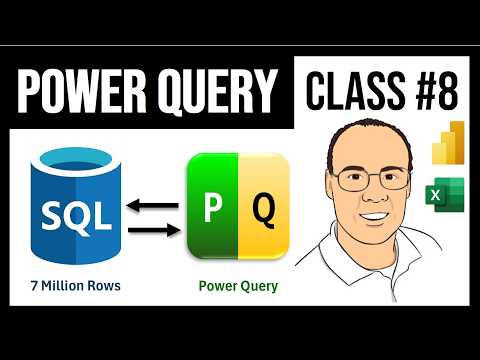
Download Zipped folder with files: https://excelisfun.net/files/PowerQuery08Files.zip Free Power Query YouTube class from Mike excelisfun Girvin: https://www.youtube.com/playlist?list=PLrRPvpgDmw0lHaJfr4mjRcOMEYqKKvKBj Buy Mike Girvins Power Query M Code book: https://www.amazon.com/Transformative-Magic-Power-Query-Excel/dp/1615470832/ link to Microsoft Notes on Direct Query: https://docs.microsoft.com/en-us/power-bi/desktop-use-directquery In this video learn how to connect to an SQL Server Database using Power Query and import data into Excel and Power BI Desktop. Learn about Query Folding and how Power Query writes SQL code for you and sends it back to the SQL Server Database to be run more efficiently than in M Code and Power Query. Connect to 7 Million rows of data and build efficient steps to optimize performance. Topics: 1. (00:00) Intro Song 2. (00:11) Introduction to SQL Server Databases 3. (00:45) Download Files 4. (01:05) Overview of Two Video Projects 5. (01:38) Query Folding 6. (02:55) SQL Server Databases and Power Query 7. (05:12) Credentials for server SQL database 8. (05:47) Connect to SQL Server Database in Power Query 9. (08:00) Review transformational steps required for the Power Query generated final report 10. (10:00) Sql.Database M Code Function 11. (10:39) View Native Query is queue that step is sent back to SQL database for Query Folding 12. (11:27) View Native Query to view Power Query generated SQL Code 13. (11:48) Remove column in query to improve reporting area and reduce load size 14. (12:25) Remove Rows to create more efficient queries. Filter Quantity Greater Than Or Equal To 100 15. (13:11) Expand Related Table to get Product Price 16. (13:32) Calculate Net Revenue with Add Column, From Number, Standard dropdown Multiply 17. (14:17) Edit Table.AddColumn M Code function 18. (14:37) List.Product function, and other aggregating list functions 19. (15:46) Group By feature in Power Query and SQL. Group to get unique list of product and a total net revenue for each unique item 20. (16:55) Table.Group M Code function 21. (17:46) Filter the grouped aggregation 22. (18:06) Sort Product A to Z 23. (18:27) Load first query 24. (18:43) Use SQL code option in Power Query 25. (20:22) Connect to second database and run into an issue that requires that we move query steps to create efficient query folding 26. (23:19) Custom Column feature 27. (25:11) In Power BI Desktop use Power Query to connect to an SQL Server Database and then load three tables (one fact and two dimension tables) to the Columnar Database in the Data Model 28. (27:44) Summary 29. (28:21) Mike Girvin’s excelisfun Power Query book 30. (28:30) Closing
This video has subtitles or audio translations in these 103 languages: Abkhazian, Afar, Afrikaans, Albanian, Arabic, Armenian, Aymara, Azerbaijani, Bambara, Bangla, Bashkir, Basque, Belarusian, Bhojpuri, Bosnian, Bulgarian, Burmese, Cantonese, Chinese, Chinese (Hong Kong), Chinese (Singapore), Chinese (Taiwan), Croatian, Czech, Danish, Dutch, Dutch (Netherlands), Estonian, Faroese, Fijian, Filipino, Finnish, French, French (France), Georgian, German, German (Germany), Greek, Hawaiian, Hebrew, Hindi, Hungarian, Icelandic, Indonesian, Irish, Italian, Japanese, Khmer, Korean, Kurdish, Lao, Latin, Latvian, Lithuanian, Luxembourgish, Macedonian, Maithili, Malagasy, Malay, Malayalam, Mongolian, Nepali, Norwegian, Papiamento, Pashto, Persian, Persian (Afghanistan), Persian (Iran), Polish, Portuguese, Portuguese (Brazil), Punjabi, Russian, Samoan, Sanskrit, Scottish Gaelic, Serbian, Sicilian, Slovak, Slovenian, Somali, Spanish, Spanish (Latin America), Spanish (Mexico), Spanish (Spain), Spanish (United States), Swahili, Swedish, Tajik, Tamil, Tatar, Telugu, Thai, Tibetan, Turkish, Turkmen, Ukrainian, Urdu, Uzbek, Vietnamese, Welsh, Western Frisian, Zulu. Click gear icon below video to set subtitles, audio and language.
#excel #excelisfun #analytics #analysis #dataanalysis #dataanalytics #powerbi…